
Your new Spine 2d companion.
Preview, review and render your spine animations as you never did before.
SVEEW is a set of tools designed to preview your animations, plug them in sequence, compare them,
provide precise and efficient feedback or render them to your portfolio.
SVEEW is design for desktop first, some features will not work properly with touch controls.
Main features
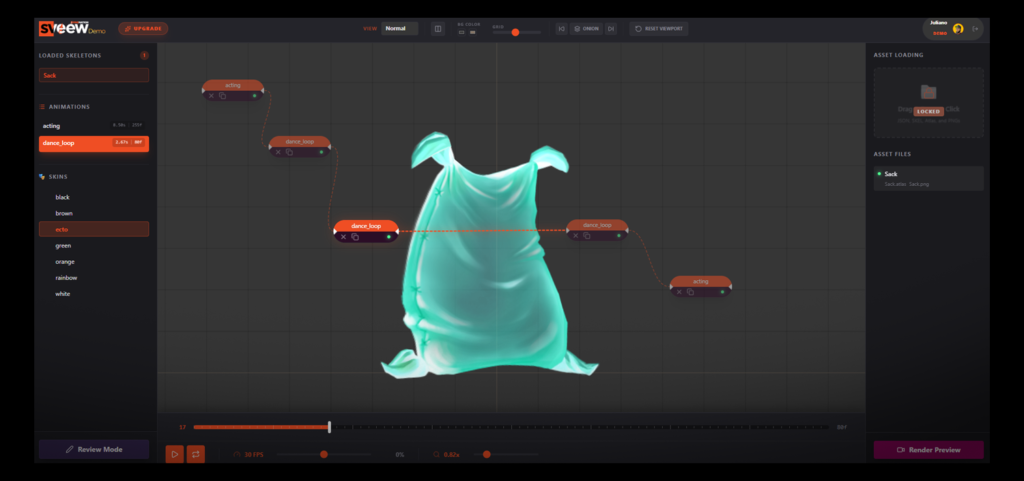
The power of Nodes
Connect, arrange, and repeat your animations with ease—then export them directly for your portfolio.
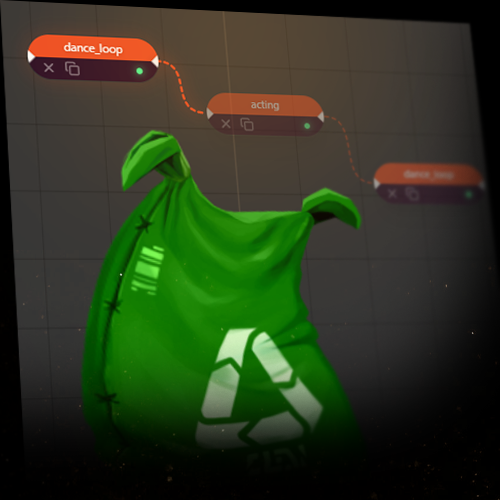
Working with Nodes gives you a clear, visual way to understand how your animations will play in-game. Test looping behavior, experiment with timing, and refine how sequences flow from one animation to the next.
In the demo version, you’re free to explore and experiment with Nodes however you like.
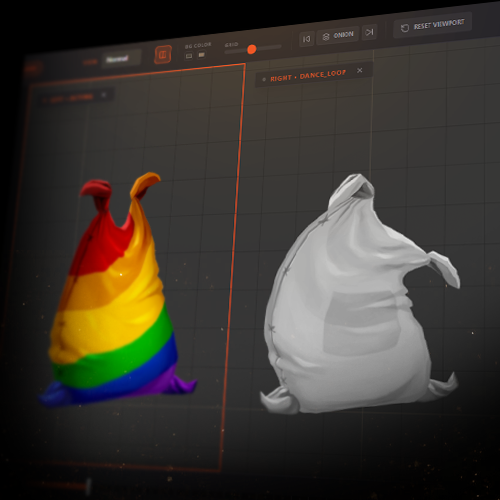
Split View
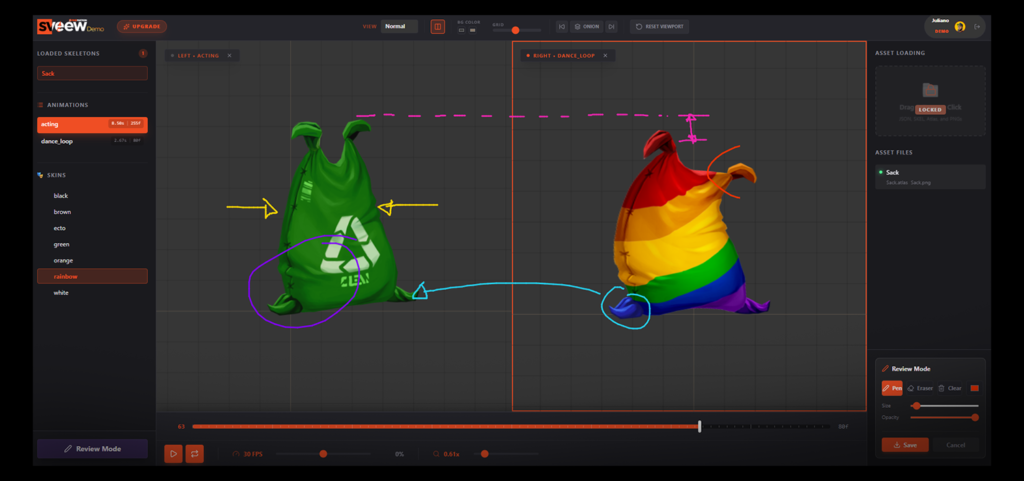
Divide your viewport into two independent panels, the timeline controls each view separately — perfect for comparing animations, poses, and overall performance side by side.
Load different skins in each view to analyze variations more efficiently and gain clearer visual insights.
When combined with the Review Tools*, Split View becomes a powerful way to deliver precise, structured feedback to your team.
*Review tools available for the studio version
Review Tools
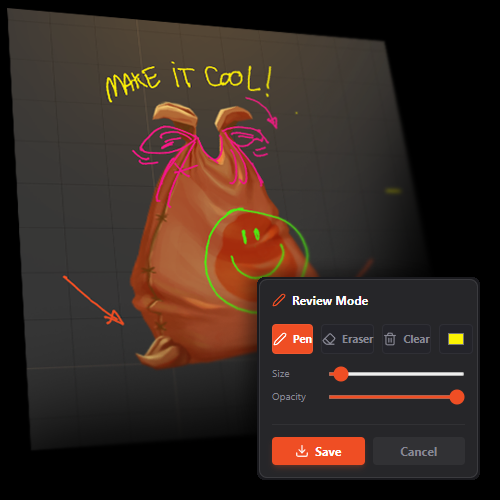
Draw, write, and highlight—because sometimes visuals communicate far more effectively than words. Skip the long back-and-forth and make your feedback clear using color, shapes, and direct annotations.
Communicating with artists requires a different approach. We see and express ideas in unique ways, and the Review Tools* are designed to bridge that gap—helping you deliver clear, intuitive, and efficient feedback.
All notes can be exported as .png files, making them easy to share across your favorite communication tools, embed in documents, or include in emails.
*Review tools available for the studio version
Other features
Multiple Skeletons
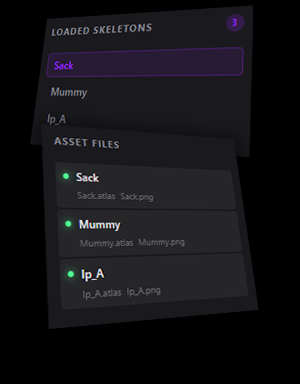
Need to review many skeletons? Save the hustle of many videos coming in too many different formats and sizes. Get the exports, load all of them in Sveew and browse all of them. You can combine this feature with nodes and preview and experiment with each one of them.
Take Notes
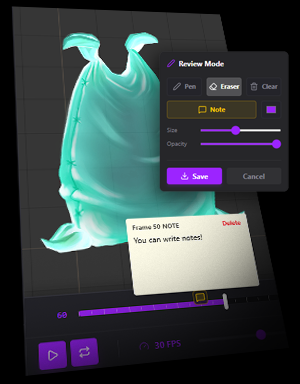
Add Notes to frames! Use this tool to give even more precise feedback and help your team to level up. Notes are linked to animations and saved with projects so you can load them later.
Save Projects
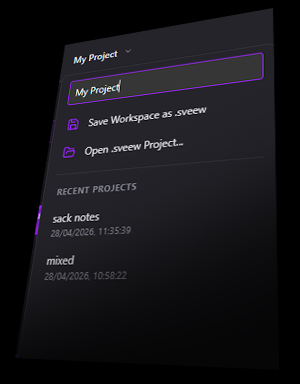
Sveew can save your project with the nodes setup, your notes, the skeletons you loaded. Projects are saved locally, we don’t upload or store anything in our server. Safe for your project because everything is one locally.
Skin Support
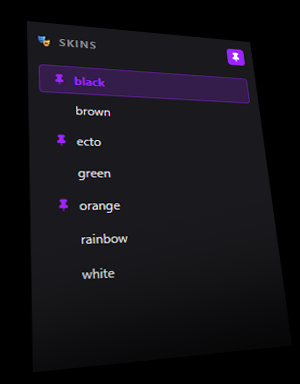
Combine and pin skins as you do in Spine. Check how your skeleton will behave in game using them. Combine this tool with the Split viewport and the Review Tools to maximize its power
Silhouete & Wireframe Modes
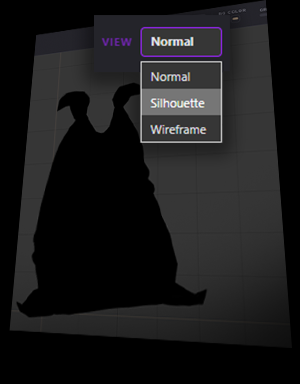
Every professional animator knows the importance and the power of a good, well crafted silhouette. With Sveew, you can easily switch your viewport mode to silhouettes.
Onion Skin
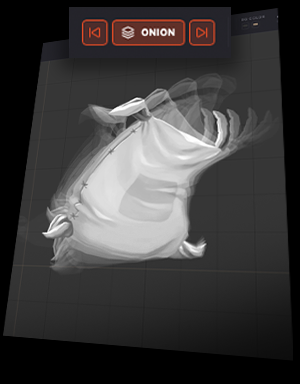
Preview frames before and after your pose. Check the spacing and the arcs, make sure your animation is smooth and well balanced.
Render Export Presets
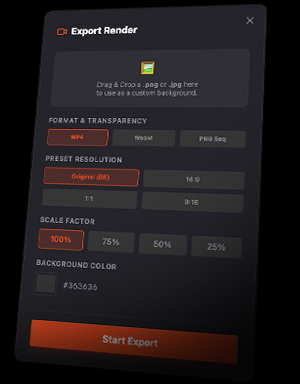
Render different formats (.mp4, WebM and png-alpha) in different size proportions and presets for video (horizontal and Vertical), you can combine with a custom background and export straight to use straight in your social networks.
Timeline and Viewport Controls
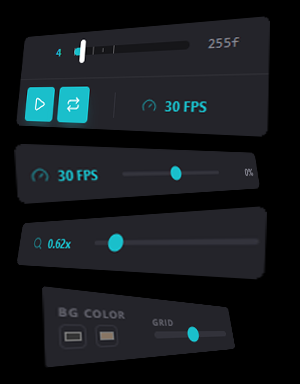
Need to review many skeletons? Save the hustle of many videos coming in too many different formats and sizes. Get the exports, load all of them in Sveew and browse all of them. You can combine this feature with nodes and preview and experiment with each one of them.
Solo and Studio Versions
SVEEW comes in Solo Version, for Individual animators and freelancers. The Studio version comes with the Review Tools
and the possibility to load many skeletons at once, allowing to switch between them, keeping the nodes setup.
This version is perfect for art directors, animation supervisors and directors that need to guide
and provide precise and clear feedback.
The Demo version has all features available, except the option for loading skeletons.
It comes with the Spinemation’s Sack rig. Allowing you to test all features.
The video exports and the export for the Review Mode are possible but with a watermark.

- Sack Skeleton included
- Node system
- Split View
- Skin Support
- Multiple Views
- Review Tools – watermark
- Render Presets – watermark
- Saving disabled

- Single Skeletons
- Node system
- Split View
- Skin Support
- Multiple Views
- Review Tools
- Render Presets
- Customizable Export background
- Save your projects
- Wishlist / Support

- Multiple Skeletons
- Node system
- Split View
- Skin Support
- Multiple Views
- Review Tools
- Render Presets
- Customizable Export background
- Save your projects
- Wishlist / Support
Plans
Free
-All Features available
€5.99
Launch promo – 50% OFF for 3 months
€2.99
Monthly
COUPON SVEEW
€15.99
Launch promo – 50% OFF for 3 months
€7.99
Monthly
COUPON SVEEW
FAQ
For any bug report, malfunction and problems with the checkout process, let me know as quick as possible. If you have any bugs, make sure you send:
-Clear description.
-Browser you are using.
-Time it happened.
Want to suggest something?
Feel free to reach out for suggestions, comments, feedback, any feature you believe can be improved.
I am working to make the tool better and useful for us.
Thanks for being part of the project. For my courses, free rigs. Visit Spinemation.com.